Stay focused.
Without blocking anything.
StayInFlow knows which app is in front — and shows you where your attention went. Pick the apps that count as work, start a session, and get the honest picture of your focus. A coach, not a blocker.
One-time purchase · No account · No cloud · macOS 26+
- Nothing ever leaves your Mac
- No subscription
- Never blocks an app
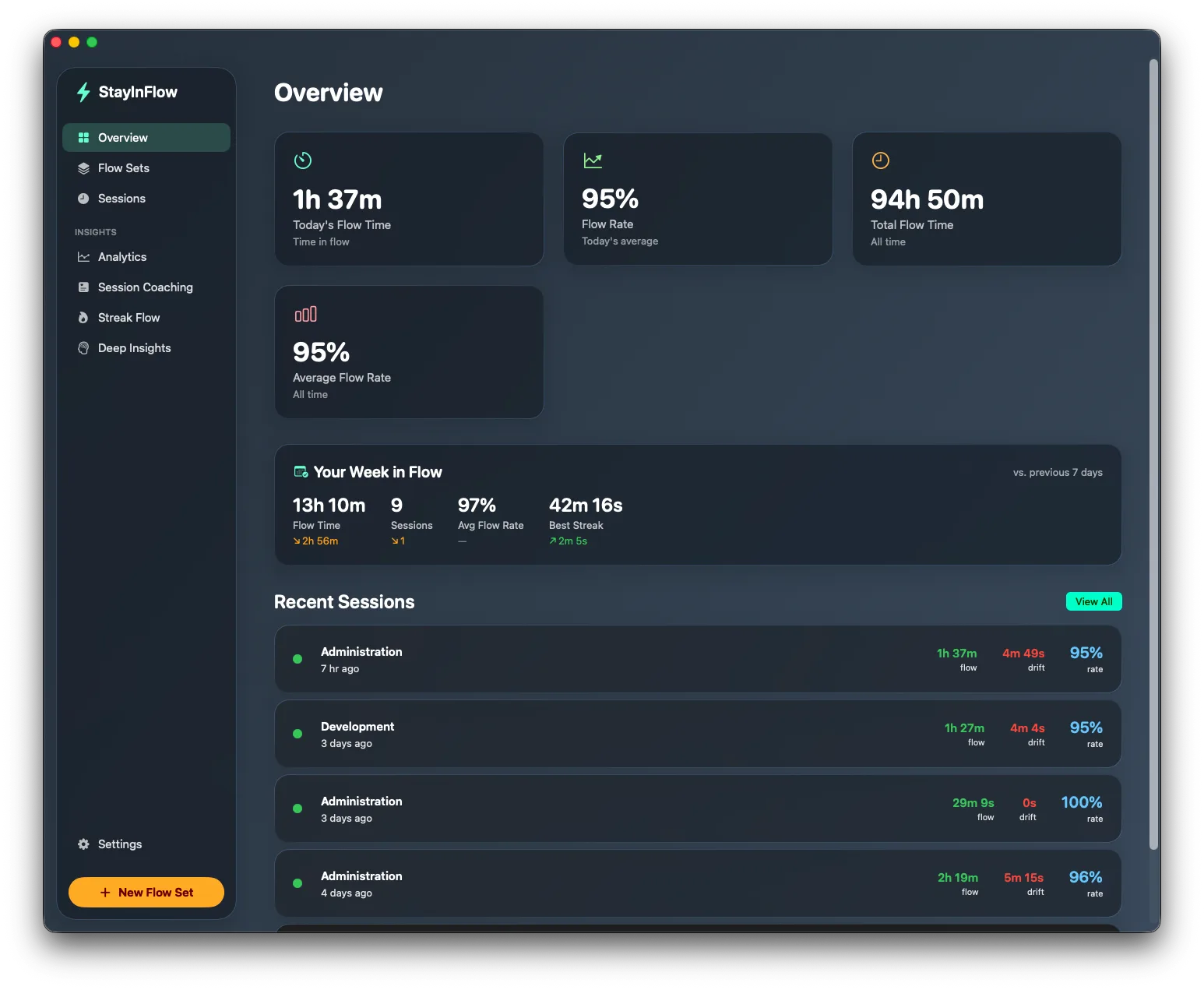
The Overview: flow time, flow rate, and your week in flow.
Three steps to an honest picture of your focus
Pick what counts as work
Group the apps for each kind of work into a Flow Set — Xcode + Terminal for development, Pages + Numbers for admin. You decide what counts.
Work like you always do
Start a session and the bolt in your menu bar tracks you live — in your set means flow, anything else means drift. Nothing is ever blocked.
Stop and get the debrief
Flow rate, longest streak, drifts — and coaching for next time. Watch your patterns emerge session after session.
You decide what counts as work.
No algorithm guessing which apps are “productive”. You pick up to eight apps for each kind of work, and the rule stays beautifully simple:
- Separate sets per craft: Development, Writing, Admin…
- Per-set stats — sessions, flow time, average flow rate
- A grace period ignores quick app switches, so a fast lookup never counts against you
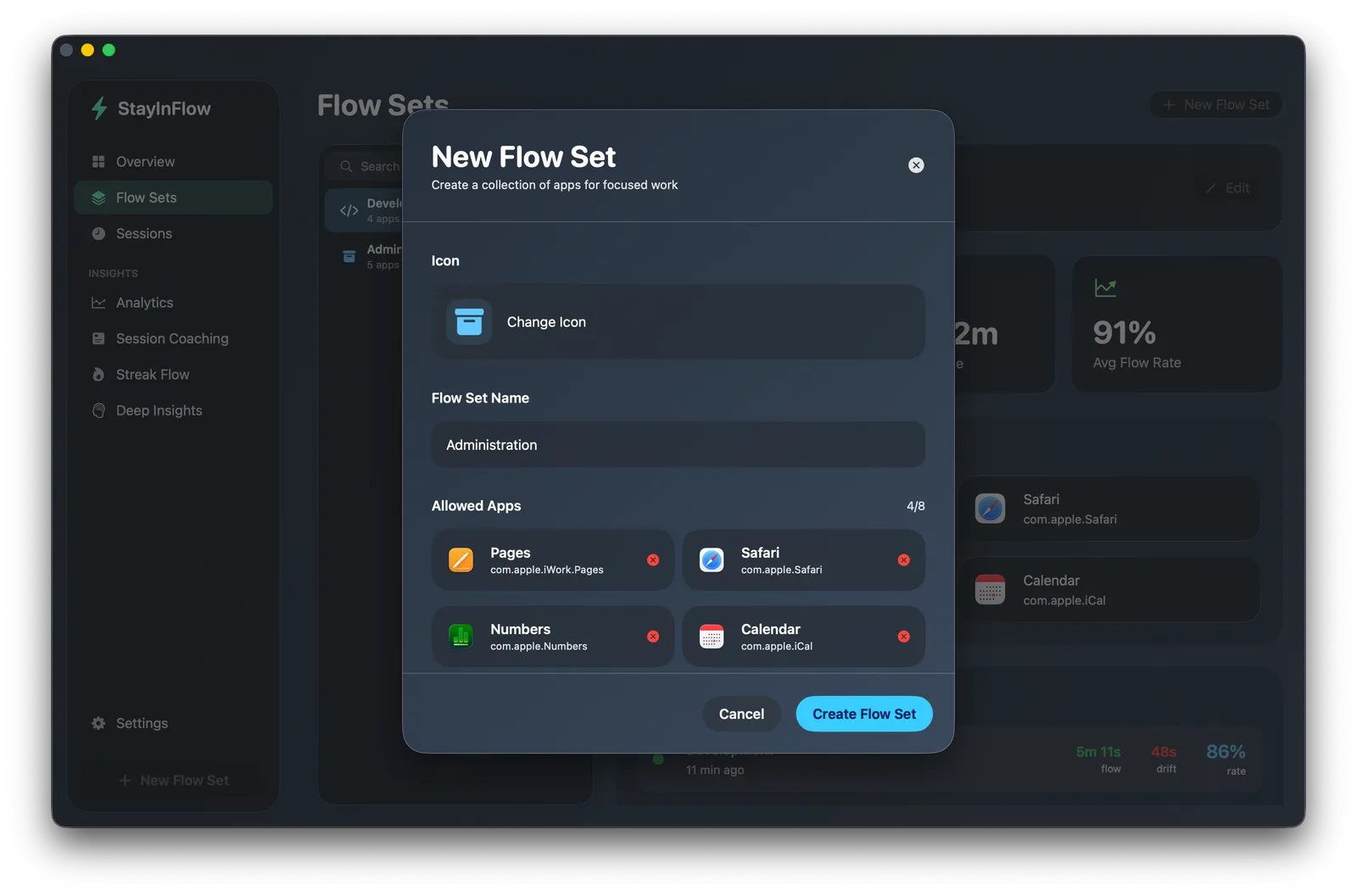
Pick the apps for each kind of work.
See the moment your focus slips.
The bolt in your menu bar changes colour in real time, and one click opens the live session: current state, timer, flow rate, and the app that’s pulling you away.
- Pause, stop, or jump to the dashboard from the popover
- Live flow percentage and drift count during the session
- Quiet by design — glance at it, or ignore it entirely
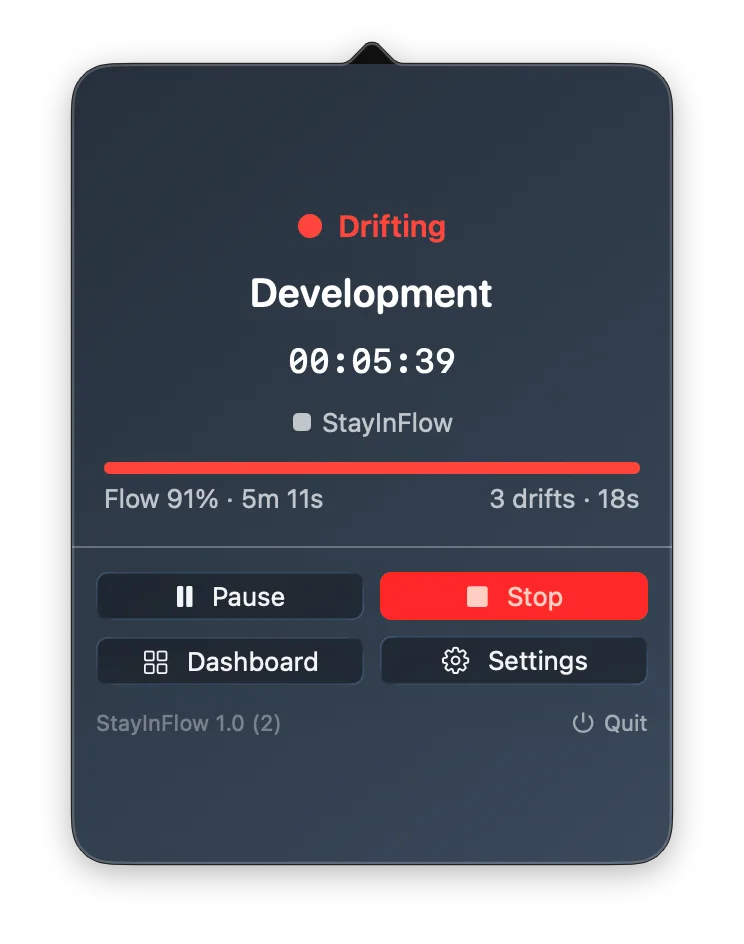
The menu bar popover during a live session.
A nudge, not a blocker.
Set your own limit — how many drifts, or how long off track. Cross it, and StayInFlow reminds you what you were doing. That’s it. No lockouts, no shame, no fighting your own computer.
- Full-screen moment or a simple notification — your choice
- Thresholds, AND/OR logic, and cooldowns are all yours
- Never fires while you’re paused or away
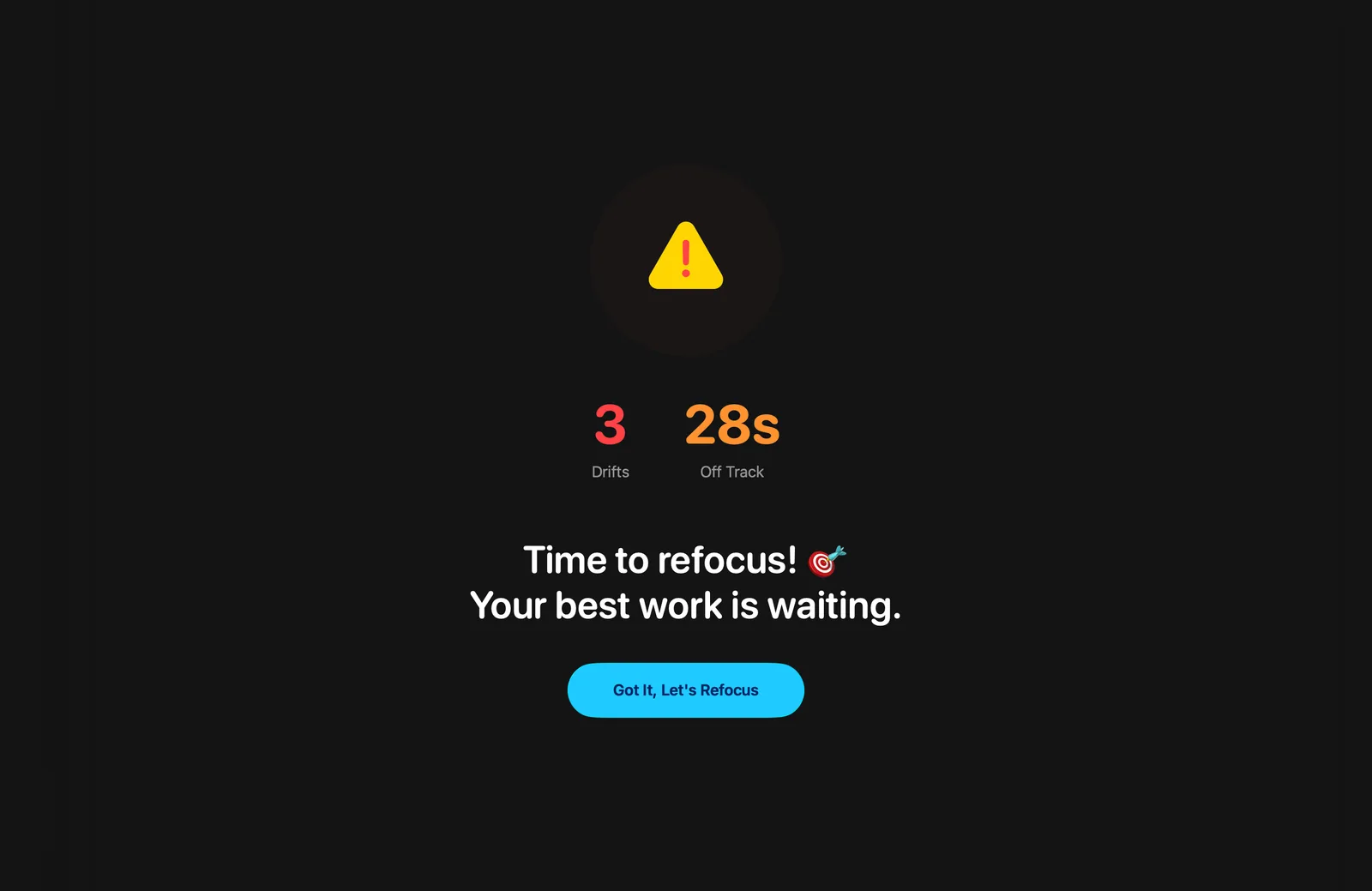
The full-screen nudge — one click and you’re back.
Only real focus time counts.
Paused time never inflates your numbers. Your flow rate is computed on active time only — so 95% actually means 95%.
See exactly where your focus went.
Flow time, drift time, and the apps that distracted you — today, this week, this month, or all time. Not vague “productivity scores”: real numbers you can act on.
- Flow performance over time, day by day
- Top distractions ranked by how often they break your flow
- Sessions, focus time, flow rate, and drifts at a glance
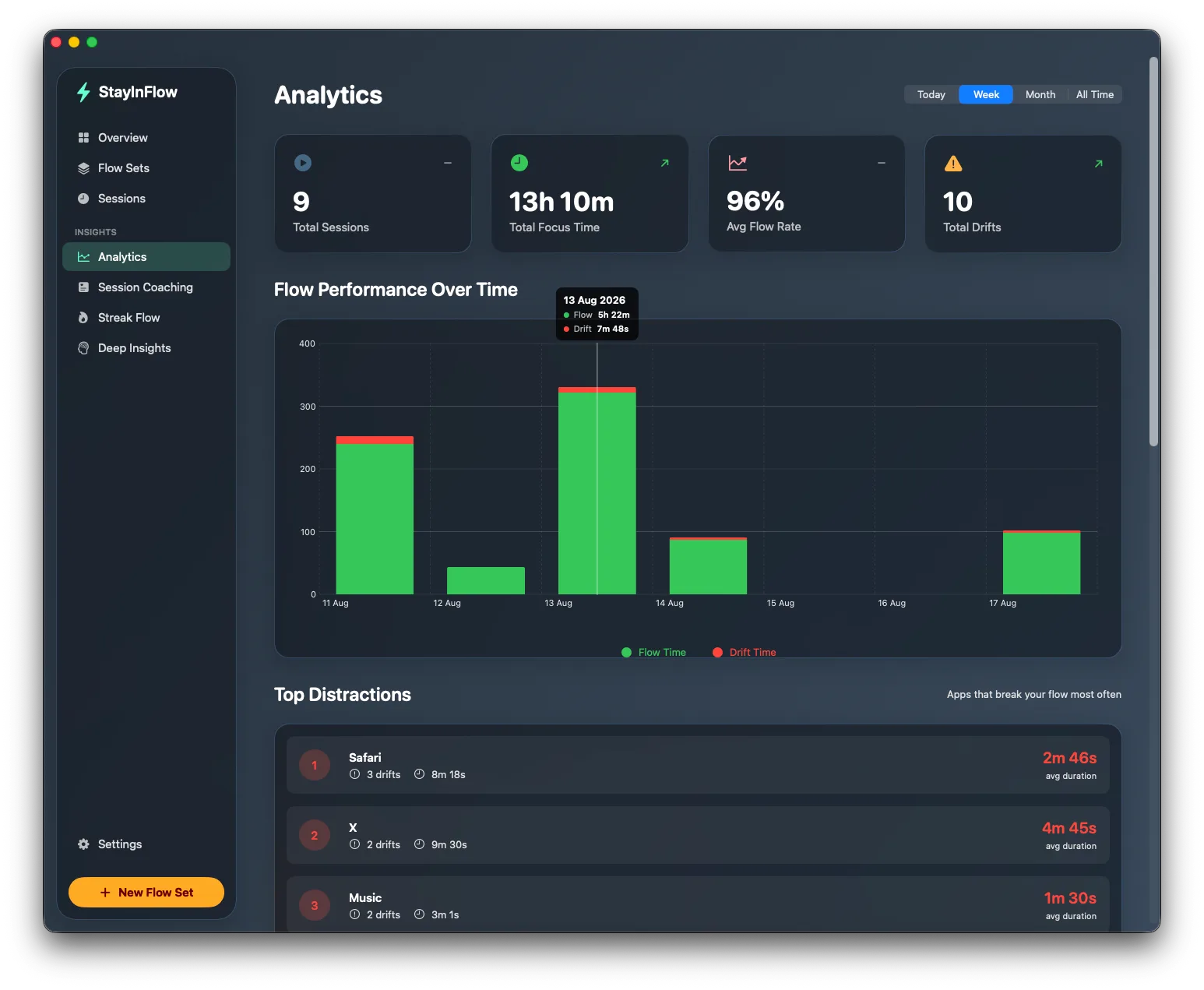
Flow vs. drift per day — and the apps behind the drifts.
Stop the session. Get the debrief.
Every session ends with an honest recap: flow rate, flow time, longest streak, drifts, and a streak timeline — plus a short coaching note like “new longest focus streak” or “watch out for Safari next time”.
- Flow rate ring for the session at a glance
- Streak timeline shows where the session broke
- Encouraging, specific coaching after every session
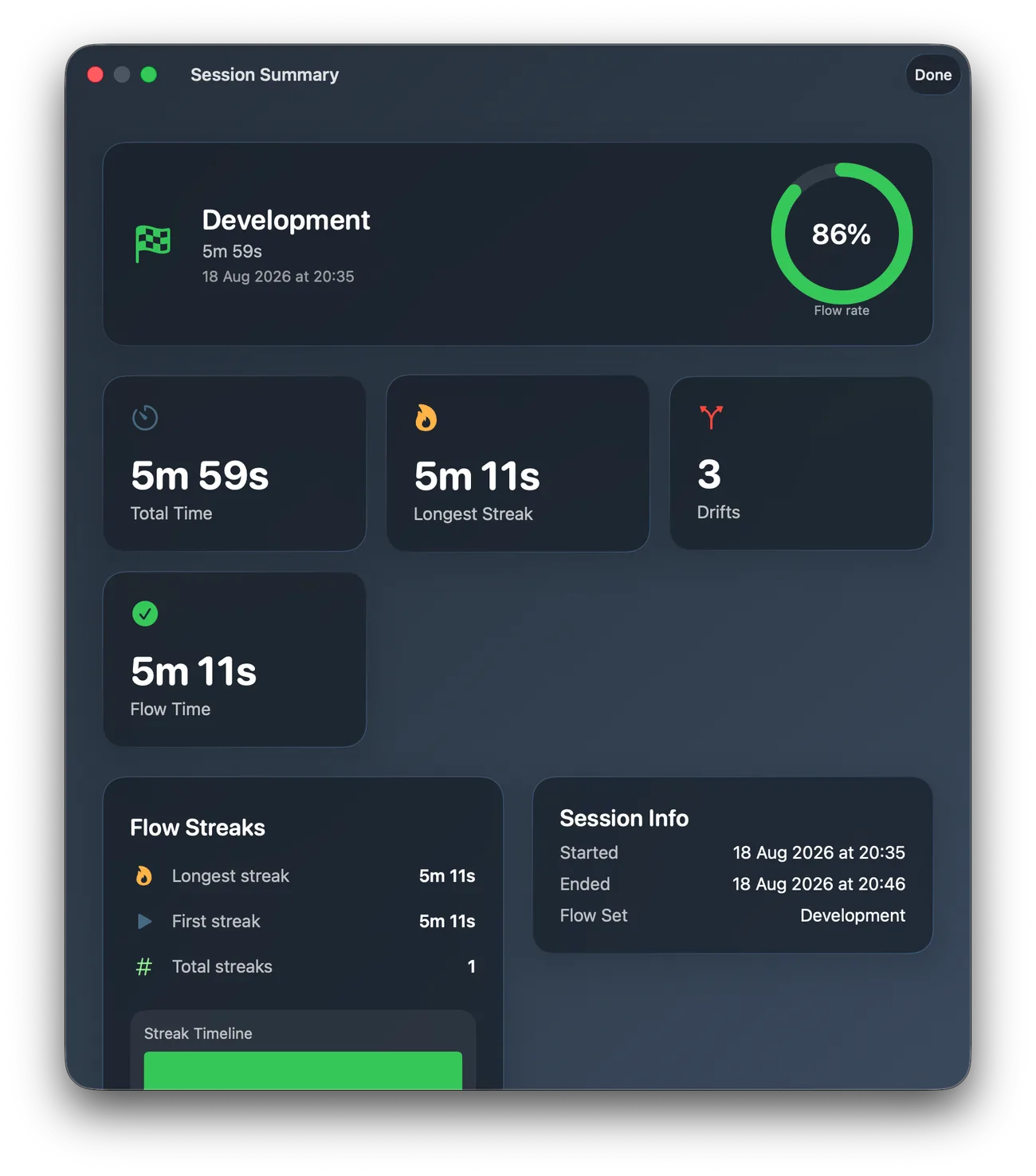
The debrief after a session.
Spot patterns you’d never notice yourself.
Across sessions, StayInFlow connects the dots — all on your Mac, nothing uploaded:
96% average flow across your last 9 sessions.
Your best streaks happen between 9:00 and 12:00.
It caused most of your drift time this week.
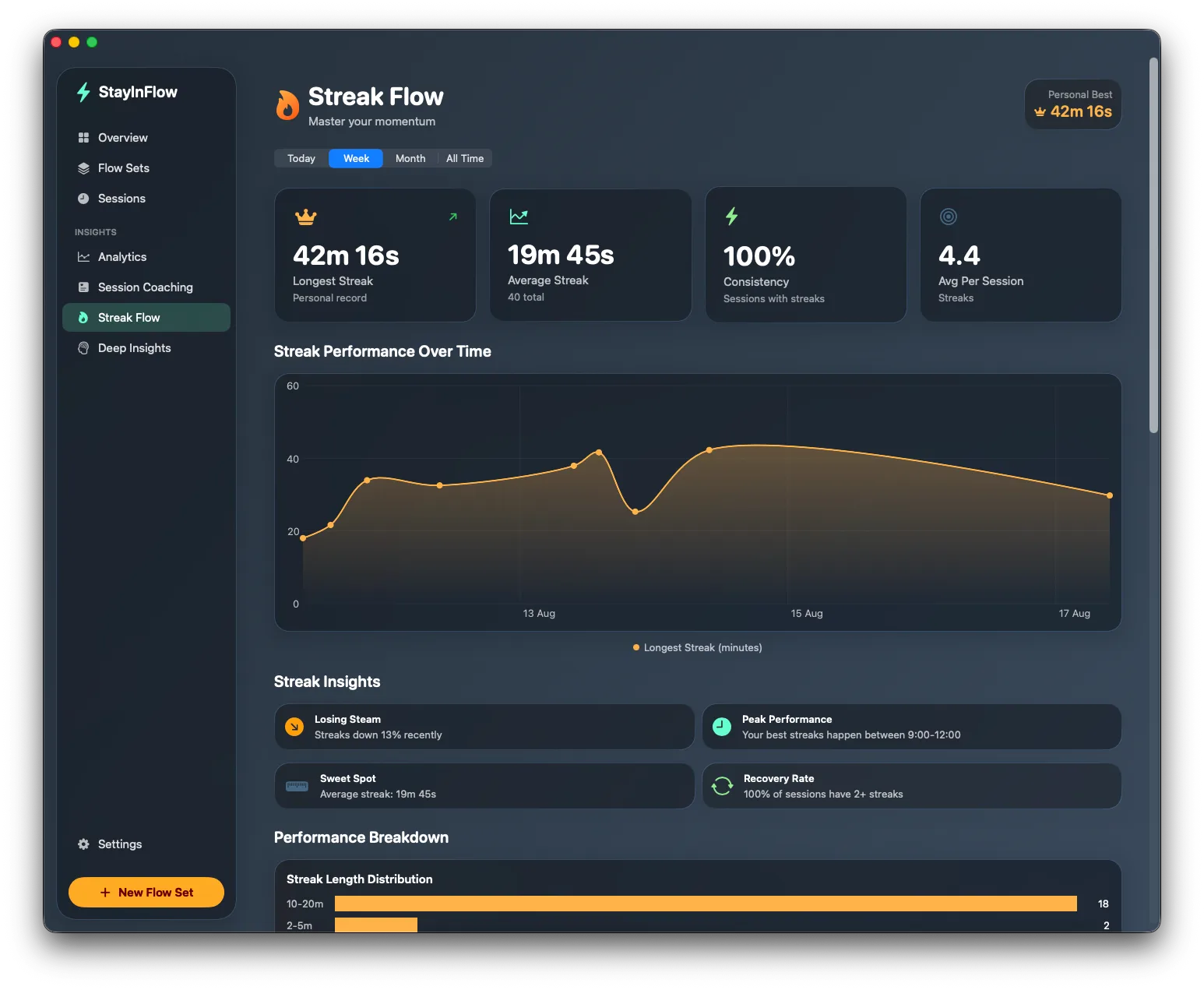
Streak Flow: master your momentum.
Your focus, at a glance.
Start a session right from your desktop. Today’s flow with your goal ring, a 7-day chart, your streak record, and a Start/Stop button — plus global hotkeys, Shortcuts actions, and macOS Focus integration.
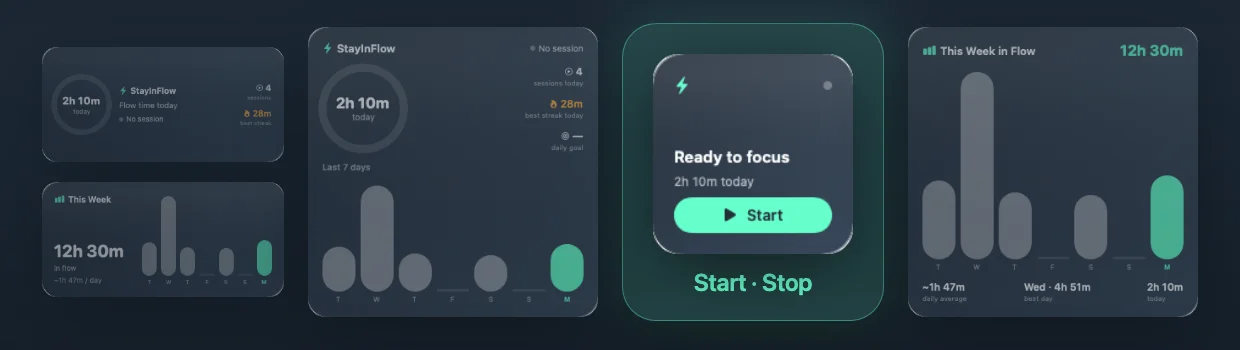
Built to make your focus visible
Track flow sessions, understand your distraction patterns, and build longer streaks — without changing how you work.
Flow Sets
Define the 1–8 apps that mean deep work — Xcode + Terminal, Figma + Notes, whatever your craft looks like.
Honest session tracking
Auto-pauses when your Mac sleeps, locks, or you walk away. Flow percentage is computed on active time only.
Analytics
Flow performance over time, top distractions, and every session searchable — today, week, month, all time.
Streak Flow
Every uninterrupted stretch is a streak. Watch your personal best grow and learn when your longest streaks happen.
Daily flow goal
Set a daily flow-time target and track the ring on your Overview, in the popover, and on a desktop widget.
Focus alerts
Drift past your own thresholds and get a gentle nudge — a notification, or a full-screen “time to refocus” moment.
Session coaching
After every session: encouraging, specific feedback. “New longest streak” — or “watch out for Slack next time”.
Shortcuts & automation
Global hotkeys, Shortcuts/Siri actions, and macOS Focus integration: Work Focus on → session starts.
Deep Insights
On-device pattern analysis across sessions: your peak hours, your recurring distractions, your focus trend.
Your focus data never leaves your Mac.
StayInFlow stores only app names and timestamps, in a local database on your Mac. No window titles, no keystrokes, no screenshots — and nothing is ever uploaded, because there is no server to upload to.
- No account. No cloud. No telemetry.
- No Screen Recording or Accessibility access
- Export everything to CSV, or wipe it in one click
Pay once. Focus forever.
Productivity tools shouldn’t rent your attention data back to you. StayInFlow is a one-time purchase — no subscription, ever.
once · yours forever · free updates
- Unlimited Flow Sets and sessions
- Full analytics, insights & coaching
- All four widgets + Focus integration
- 100% on-device — no account needed
Requires macOS 26 or later
Frequently asked
Does StayInFlow block apps or websites?
No — and that’s the point. StayInFlow is a coach, not a blocker: it measures your focus honestly and nudges you when you drift, but it never locks you out of anything.
Is my data really private?
Yes. Everything is stored in a local database on your Mac. There is no account, no cloud sync, and no telemetry — the app has no server. See the privacy policy.
How is this different from RescueTime or Rize?
Those tools upload your activity to their servers and charge monthly. StayInFlow keeps everything on-device for a one-time price, and focuses on flow sessions rather than all-day surveillance. Full breakdown: RescueTime alternative.